A slow, lovely Saturday
12 Sep · Santa Monica



Farmers market in the morning, a long walk in the park with the dog, then the sunset at the beach. A slow, lovely Saturday.
a diary that keeps itself
Pick a day's photos. Folumi turns them into hand-drawn pages and writes a little note about the day — so the moments you'd scroll past become a journal you'll actually keep.
No sign-up. Your journals sync through your own iCloud.


How it works
Folumi finds a page-worthy day in your camera roll and suggests 3–4 shots: sharp, well lit, not too alike. Swap any of them, or pick your own.
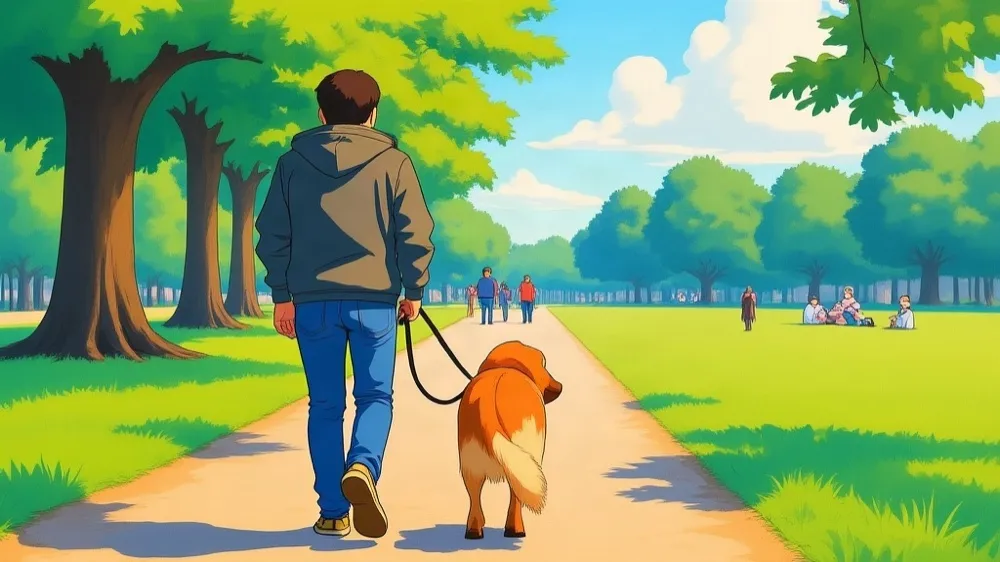
Pencil sketch, block-built, watercolor garden, anime film still or 35mm film. Each journal keeps its own look.
Your photos come back as drawings, with a short note about the day. Add your own words — or don't.
Five worlds
Same evening on the beach, drawn in each of Folumi's worlds. Pick the one that feels like you.

the photo
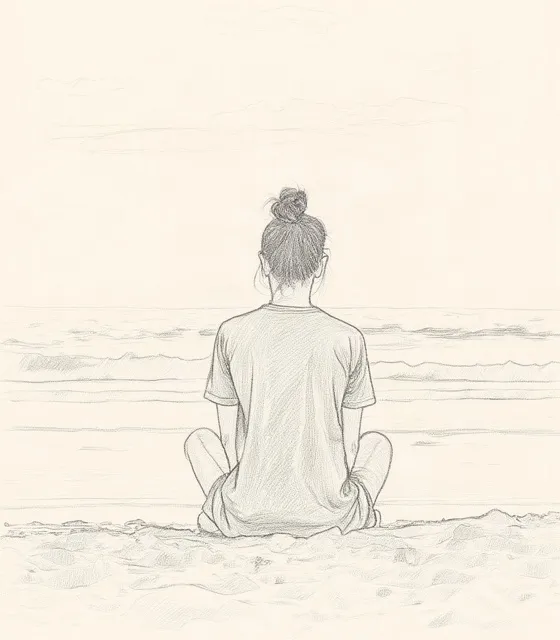
Soft graphite on cream paper.

Your day, built block by block.

Watercolor, petals and ladybugs.

Like a frame from a 90s film.

35mm grain and a date stamp. Developed on your iPhone.
Memory Books
Folumi finds the trips, weekends and birthdays hiding in your camera roll. Pick one, keep the photos you love, choose a world — and it goes on your shelf with its name on the spine.
A real page
Four photos from one Saturday, drawn in Flower Garden. Folumi lays them out like a scrapbook, adds a caption to each, and writes the day down in a few honest sentences.
Turn your phone sideways and the journal opens as a two-page spread. Share any chapter as a story-sized image, ready for Instagram.
Folumi speaks English and Turkish, and the notes follow your language.
Farmers market in the morning, a long walk in the park with the dog, then the sunset at the beach. A slow, lovely Saturday.
Finding your best days and your trips happens on your device. Your library never leaves it.
Only the shots you choose to draw are sent, resized and stripped of location and camera data.
Analog Film is developed right on your phone. Those photos don't go anywhere.
No account to create, no followers. Delete your data any time from Settings.
From the blog
What changes when your camera roll becomes a sketchbook — and why an illustrated diary can feel closer to memory than the original photo.
Small things worth a photo — and a page. Twelve prompts to help you notice a quiet weekend and remember it.
Photos first, words second: a low-effort way to remember your days, even if a blank page makes you freeze.
Questions
Folumi is an iPhone diary app. It turns the photos of your day into drawn journal pages in the style ("world") you pick, and writes a short note and captions to go with them. Trips and weekends can become Memory Books on your shelf.
No. Folumi writes a short note and captions for you. You can edit them, write your own, or remove them.
Five worlds: Pencil Journal (graphite sketch), Block World (voxel blocks), Flower Garden (watercolor), Anime Days (hand-painted film still) and Analog Film (35mm grain with a date stamp). Each journal keeps one world.
Folumi finds trips, weekends and birthdays in your photo library on your iPhone. Pick one, keep the photos you love, choose a world, and it becomes a book with chapters for each day and its name on the spine.
No. Suggestions and Memory Books are worked out on your iPhone. Only the photos you choose to have drawn are sent, resized and with location and camera data removed. Analog Film pages never leave your phone.
On your iPhone, synced through your private iCloud, so they follow you to a new phone. The photos you send to be drawn, and their drawings, are also kept on our servers until you delete them from Settings › Delete my account in the app.
No. There is no sign-up, email or password. Your subscription is tied to your Apple ID.
Making pages and books needs Folumi Premium, billed monthly or yearly through the App Store, with a free trial for eligible new subscribers. Prices are shown in the App Store in your currency. Premium renews automatically and you can cancel any time in your iPhone Settings.
Folumi runs on iPhone with iOS 18 or later. The app is available in English and Turkish, and the notes follow your app language.
Yes. Any chapter can be shared as a story-sized image (1080×1920) in three layouts. There is no public feed, followers or likes.
tonight's page is waiting
For iPhone · iOS 18 or later · English & Türkçe